
Envelope and Velocity
Shape how the sound starts, holds and fades, and how it answers to how hard you play.
On the sound page, tap More ›. On Desktop and Tablet, the envelope and the velocity share the Envelope & velocity tab; on Phone, Envelope and Velocity are separate tabs.
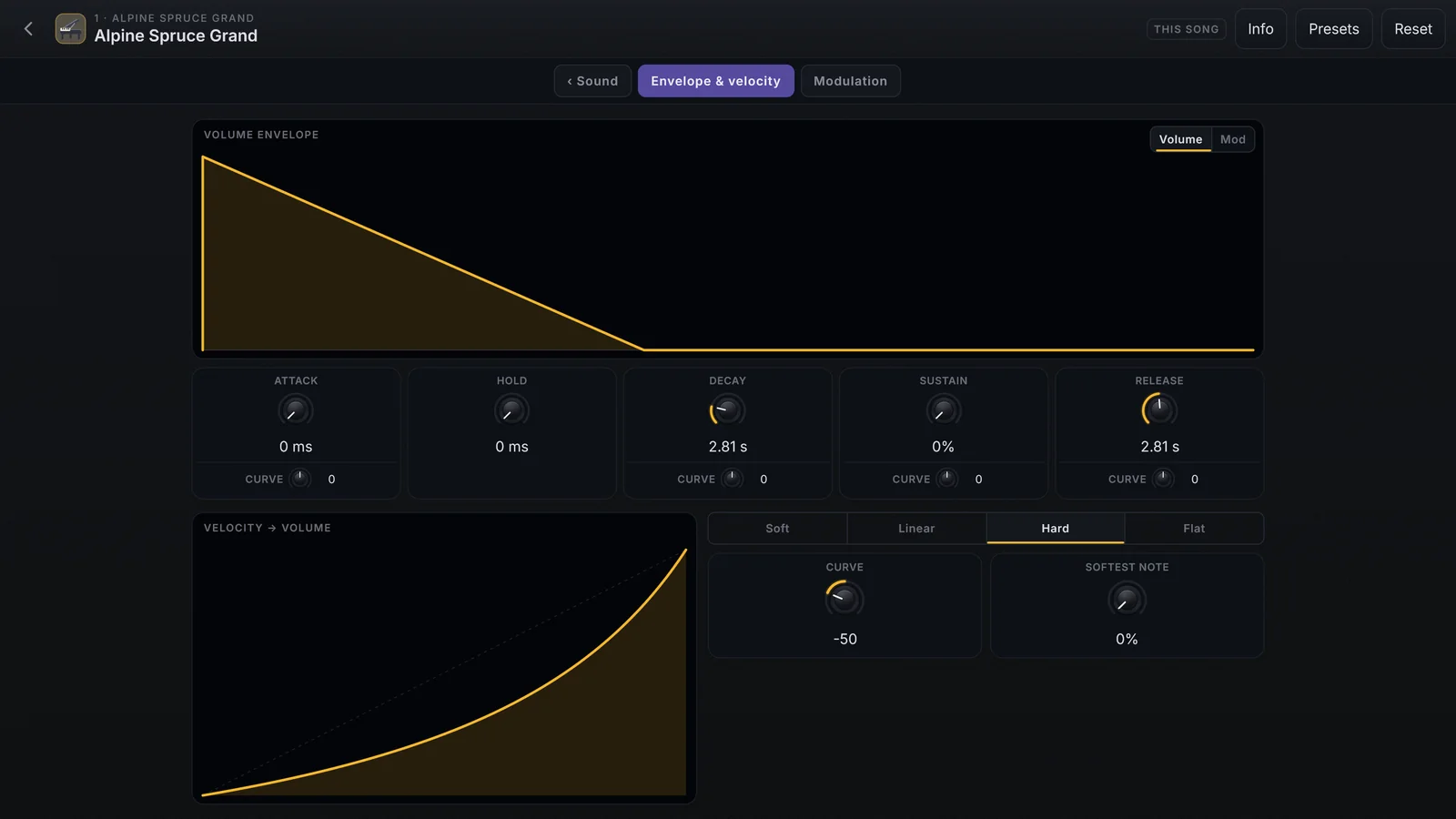
Envelope
The graph shows the shape. The five cards below change the values:
| Card | What it does |
|---|---|
| Attack | The time to full volume |
| Hold | How long the sound stays at the top before it starts to fall |
| Decay | The time to fall to the Sustain level |
| Sustain | The level the sound stays at while the key is held |
| Release | The time to fade after you let go of the key |
Attack, Decay, Sustain and Release have a second knob, CURVE, from −100 to +100. On the times, 0 is straight, negative starts slowly and positive starts fast. On Sustain, 0 holds the level, negative fades away and positive swells while the key is held.
Rest the mouse on a card to see where the value changes across the keyboard: on a piano, the top notes release more slowly than the middle ones. Turning the knob changes every region by the same proportion.
Volume and Mod
At the top of the graph, Volume shows the volume envelope. Mod shows a second envelope that does not change the sound by itself: it is the Envelope source on the Modulation tab.
Options that only some sounds have
- Restart each note, on monophonic sounds: on, every new note restarts the attack, even with other keys held; off, the next note slides in without restarting, good for smooth legato lines.
- Play to the end, on percussion and effect sounds: on, attack, hold and decay always run to the end even if you let go of the key at once, and Sustain and Release are not used; off, the sound follows your key.
Velocity
Velocity is how the sound answers to how hard you strike the key.
| On screen | What it does |
|---|---|
| Soft | Reaches loud with less force: good for a heavy keyboard |
| Linear | Follows the key’s force, no curve |
| Hard | Needs more force to reach loud |
| Flat | Nearly the same volume at any force |
| Curve | The free curve, from −100 to +100 |
| Softest note | The volume of the lightest key, from 0 to 95 % |