
Arp mode: Order, Range and Rate
Choose the order the notes play in, across how many octaves and how fast.
In Arp mode, the order picks which note of the chord plays, and the grid sets the rhythm and dynamics. To use it, tap the Arp tab at the top of the page.
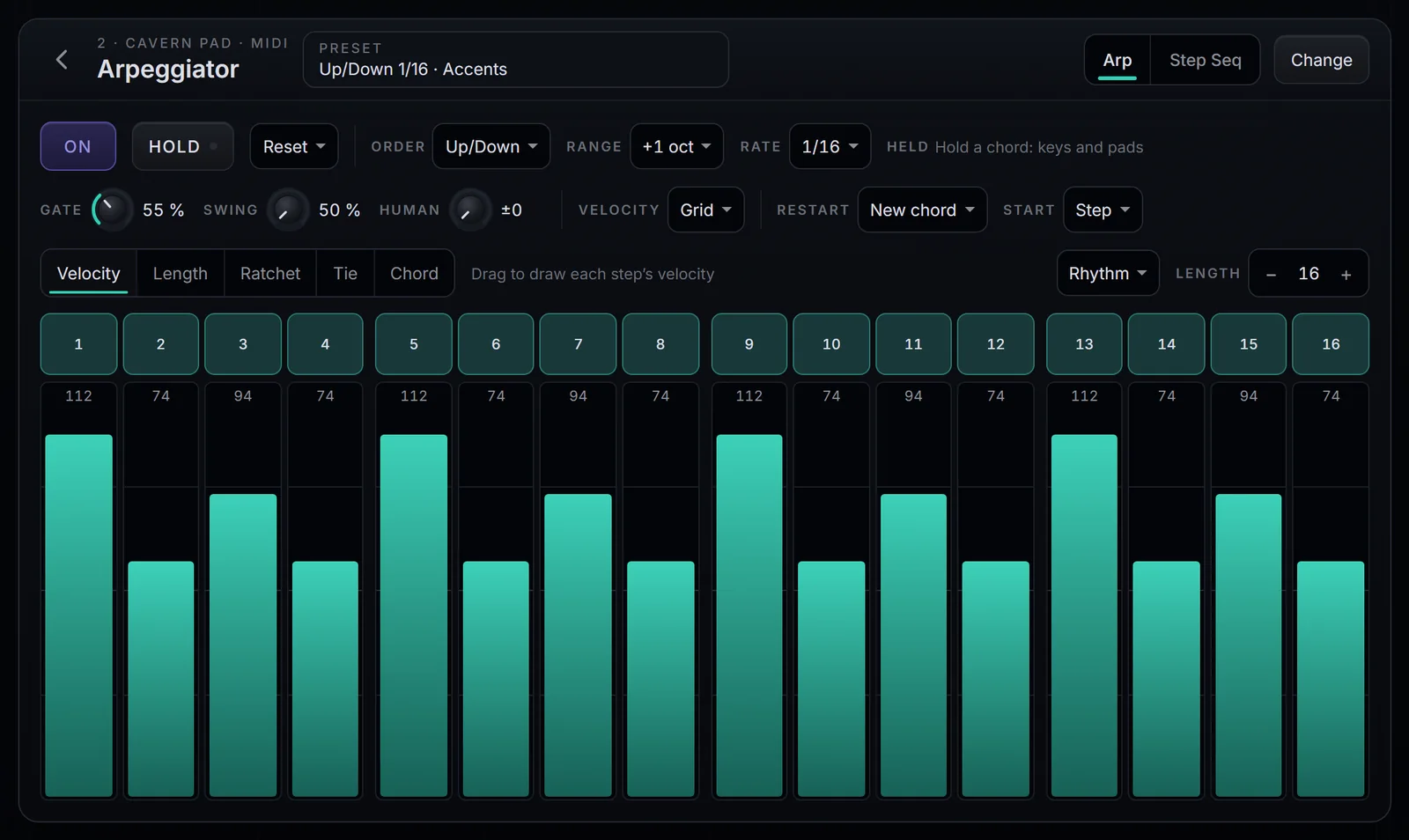
Order
Tap the box next to Order. There are 13 orders:
| Order | How the notes play |
|---|---|
| Up | Lowest to highest |
| Down | Highest to lowest |
| Up/Down | Up, then back down, without repeating the top and bottom notes |
| Up & Down | Up, then back down, repeating the top and bottom notes |
| Down/Up | Down, then back up, without repeating the top and bottom notes |
| Converge | Outside in: the lowest, the highest, the second lowest… |
| Diverge | Inside out |
| Thumb | The lowest note between each of the others |
| Pinky | The highest note between each of the others |
| As Played | In the order you played the keys |
| Random | A random note each step, never the same one twice in a row |
| Random Other | Every note in random order before any repeats |
| Chord | The whole chord on every step |
The orders walk the chord from the lowest note to the highest, already spread over the octaves set by Range. The exception is As Played, which follows the order you played, one octave at a time. With Chord, each step plays the chord in one octave of the Range.
Range
Range spreads the chord over octaves, from −3 oct to +3 oct. At 0 oct, it plays only the chord as you played it. At +2 oct, the chord repeats two more octaves up: three octaves in all. Negative values go down.
Rate
Rate is the length of each step: 1/4, 1/8, 1/16 or 1/32. Each one comes in three versions:
- Straight: even, like 1/16.
- Triplet: triplets, marked T, like 1/8 T.
- Dotted: dotted, marked with a dot, like 1/16 ·.
The step always follows the song's BPM. Rate also works in Step Seq mode; Order and Range belong to Arp mode only.