
RKV-90
Use the five-algorithm studio reverb: choose the room, the balance between reflections and tail, and the tone.
The RKV-90 is a studio reverb. Its face is a black rack panel, with a teal fluorescent display, the blue field and keys with LEDs.
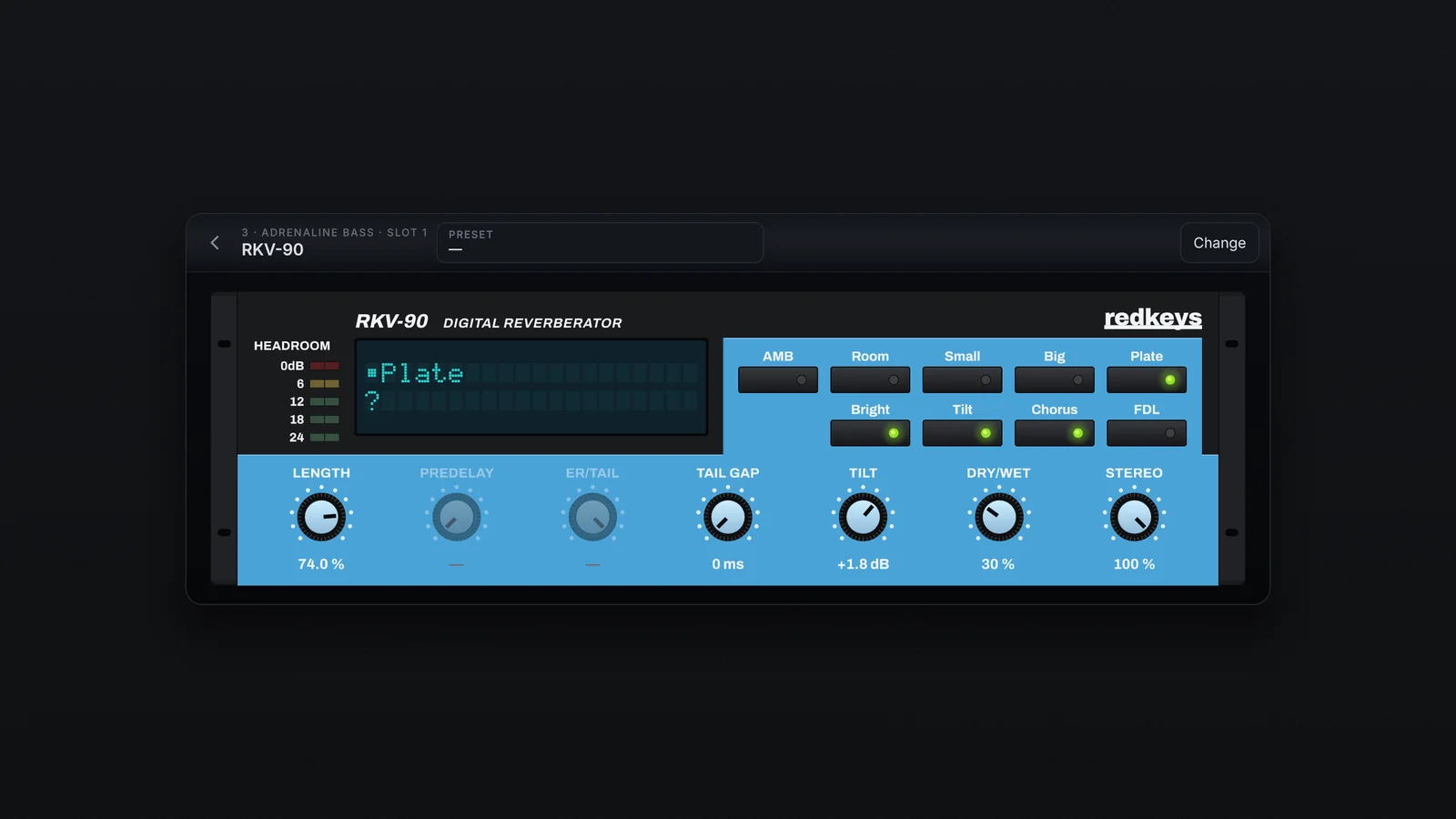
The keys
| Key | What it does |
|---|---|
| AMB, Room, Small, Big, Plate | The algorithm: it sets the reverb and the range of the knobs |
| Bright | A brighter sound going into the reverb |
| Tilt | Chooses the tone knob: lit, Tilt; off, LPF |
| Chorus | A slow movement in the tail |
| FDL | Opens the page of the 8 delay lines (Tail 1 to 4 and ER 1 to 4), from −0.95 to +0.95 |
The knobs
| Knob | What it does | Range |
|---|---|---|
| Length | The length of the tail; the range depends on the algorithm | Up to 99 % |
| Predelay | The time before the reverb starts (off on Plate) | 0 to 300 ms |
| ER/Tail | The balance between early reflections and tail (off on Plate, which is all tail) | 0 to 100 |
| Tail gap | A delay on the tail alone, setting it apart from the reflections | 0 to 300 ms |
| Tilt | Tilts the tone: up, fewer lows and more highs; down, the opposite | −6 to +6 dB |
| LPF | In place of Tilt, with the Tilt key off: takes highs out | 500 Hz to 20 kHz |
| Dry/Wet | The slot's mix | 0 to 100 % |
| Stereo | The width of the reverb: 0 sums the sides | 0 to 100 % |
The display and the meter
At rest, the display shows the algorithm and the preset (with * when changed). When you move a control, it shows the name and value for 2 seconds. Tapping the display switches between the text and a picture of the reverb. The HEADROOM meter has 5 LEDs, marked 24, 18, 12, 6 and 0 dB.
Presets: Default plus 31 factory presets. Each one brings its Dry/Wet too.