
RV-240
Use the room, hall and plate reverb: pick one of the 25 programs and set its length, brightness and width.
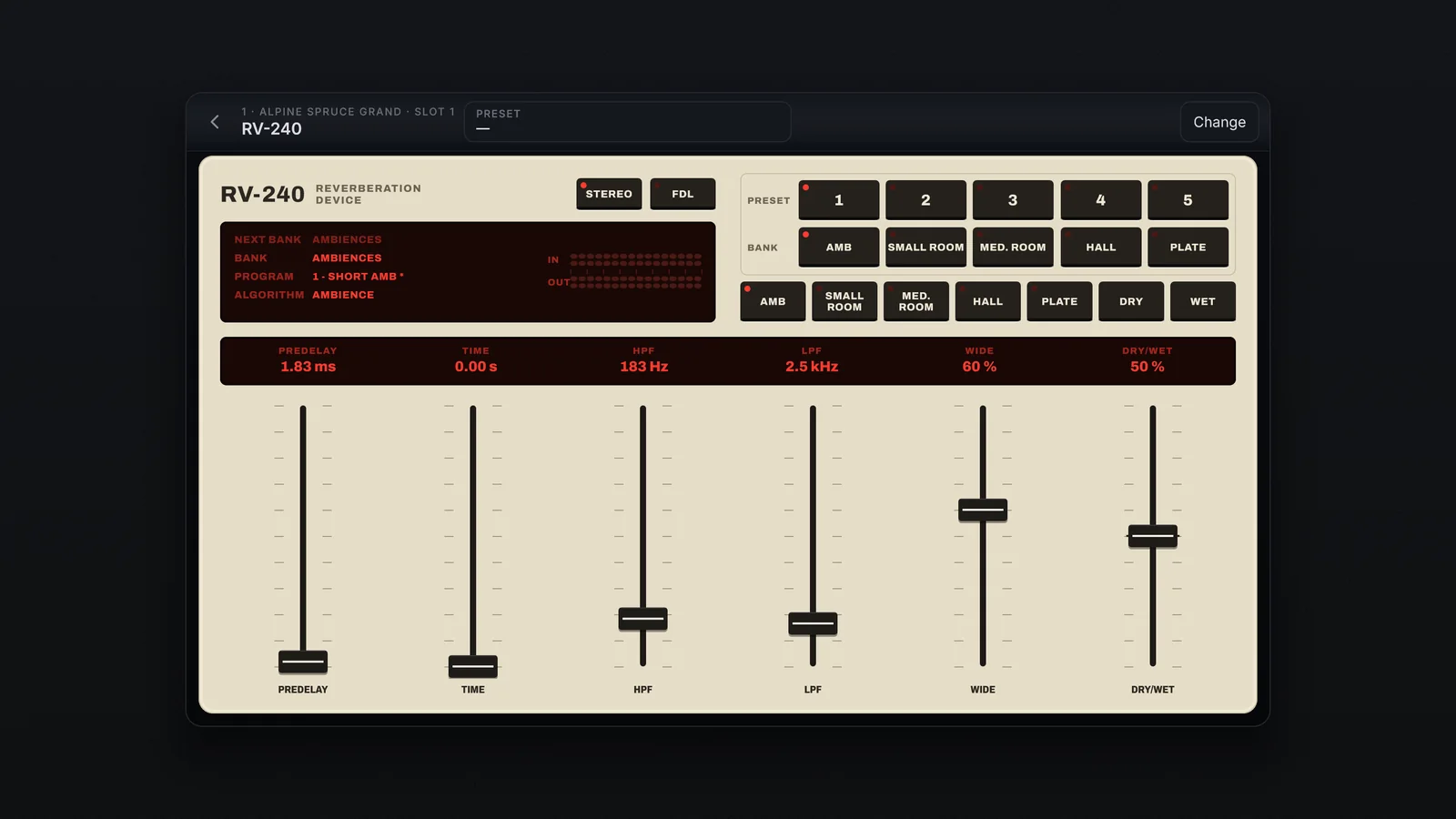
The RV-240 is the everyday reverb: pianos, pads and any sound that wants space. Its face is cream, with a red LED display and black keys.
Pick a program
- Tap a key on the BANK row (Amb, Small Room, Med. Room, Hall, Plate): it chooses the bank.
- Tap a number from 1 to 5 on the PRESET row: the program loads at once.
There are 25 programs, five per bank. The PRESET box at the top lists them all too. The display shows Next bank, Bank, Program (with * when changed) and Algorithm; beside it, the In and Out meters, left and right.
The controls
| Control | What it does | Range |
|---|---|---|
| Predelay | The time before the reverb starts | 0 to 100 ms |
| Time | The length of the tail | Up to 1.3 s (Ambience), 1.0 s (Small Room), 2.0 s (Med. Room), 8 s (Hall and Plate) |
| HPF | Takes lows out of the reverb | Off to 1000 Hz |
| LPF | Takes highs out of the reverb: lower is darker | 1 to 10 kHz |
| Wide | The stereo width of the reverb | 0 to 100 |
| Dry/Wet | The slot's mix | 0 to 100 % |
| Ambience, Small Room, Med. Room, Hall, Plate | The algorithm: the character of the room and the Time limit | — |
| Dry, Wet | Take Dry/Wet to 0 or 100 | — |
| Stereo | On, one reverb per side; off, a single reverb fed by both sides together: the tone changes too | — |
| FDL | Swaps the faders for the 12 delay lines that make up the room, each from 1 to 25 | — |
The values sit in a line on the glass above the faders; each one can be typed (5.5 or 3.2k).