
A tour of the screens
Where everything is: the top bar, the channels, the parts bar, the settings and the shortcuts.
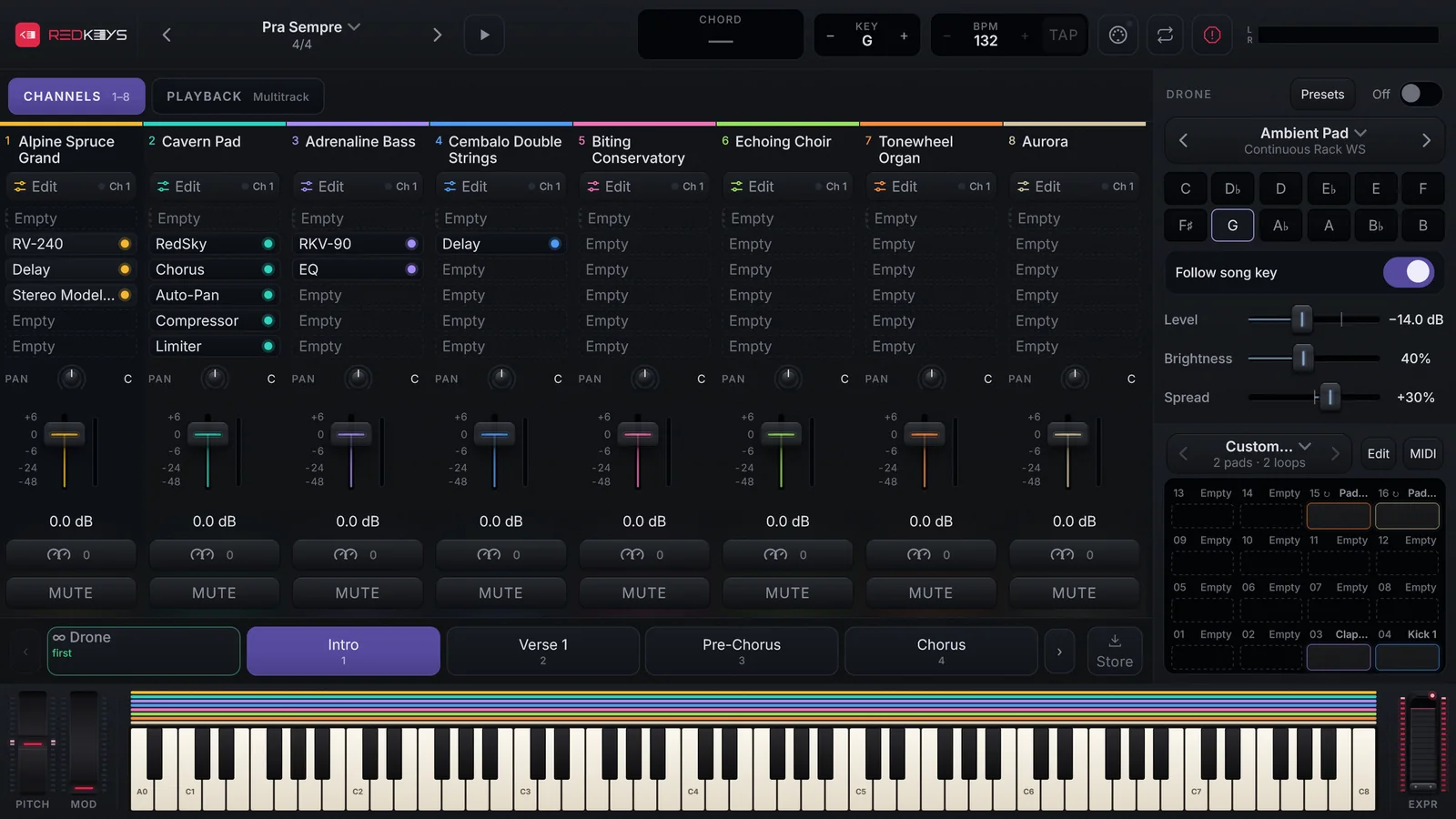
The top bar
- The REDKEYS logo: opens Settings.
- ‹ song name ›: the arrows go to the previous and next song; the name opens the SETLIST.
- Play / Stop (▶): the space bar on a computer.
- KEY with − and +: the key in semitones. Tapping the key picks another one or goes back to the song key.
- BPM with − and +, and TAP: the tempo; tap TAP along with the music, 2 times or more (Key and tempo).
- CHORD: the chord you are playing.
- The MIDI icon (the round connector): opens the MIDI screen, with INPUTS, DEVICES, CONTROLLERS, MAPPINGS and WHEELS & PEDAL. The dot in its corner blinks when MIDI arrives.
- Loop this part (the two arrows): repeats the part; it only acts on a song with a backing track or multitrack.
- Panic (the red octagon): lets every note go and stops the pad loops.
- The L/R meter: the Master output. Tapping it opens the Master and the buses.
The middle: channels, Drone and DrumPads
On Desktop and Tablet, the mixer is on the left, with the CHANNELS and PLAYBACK tabs, and the Drone and DrumPads are on the right. Each channel shows its number and name, Edit and its MIDI channel (Ch 1), the effects, PAN, the fader, the macros button and MUTE.
On Phone, one view at a time, picked in the bar on the left: Mixer, Playback, Drums and Drone. The channels come in groups, 1–4 and 5–8.
At the bottom
The parts bar shows the parts of the Form, each with its number, arrows to see the others, and Store at the end. On Desktop and Tablet, below it is the 88-key on-screen keyboard, with PITCH, MOD and EXPR.
Settings
The REDKEYS logo opens Settings, with the Play, Click, Drone, Stage, Libraries, Devices and About tabs. The arrow at the top goes back to the stage.
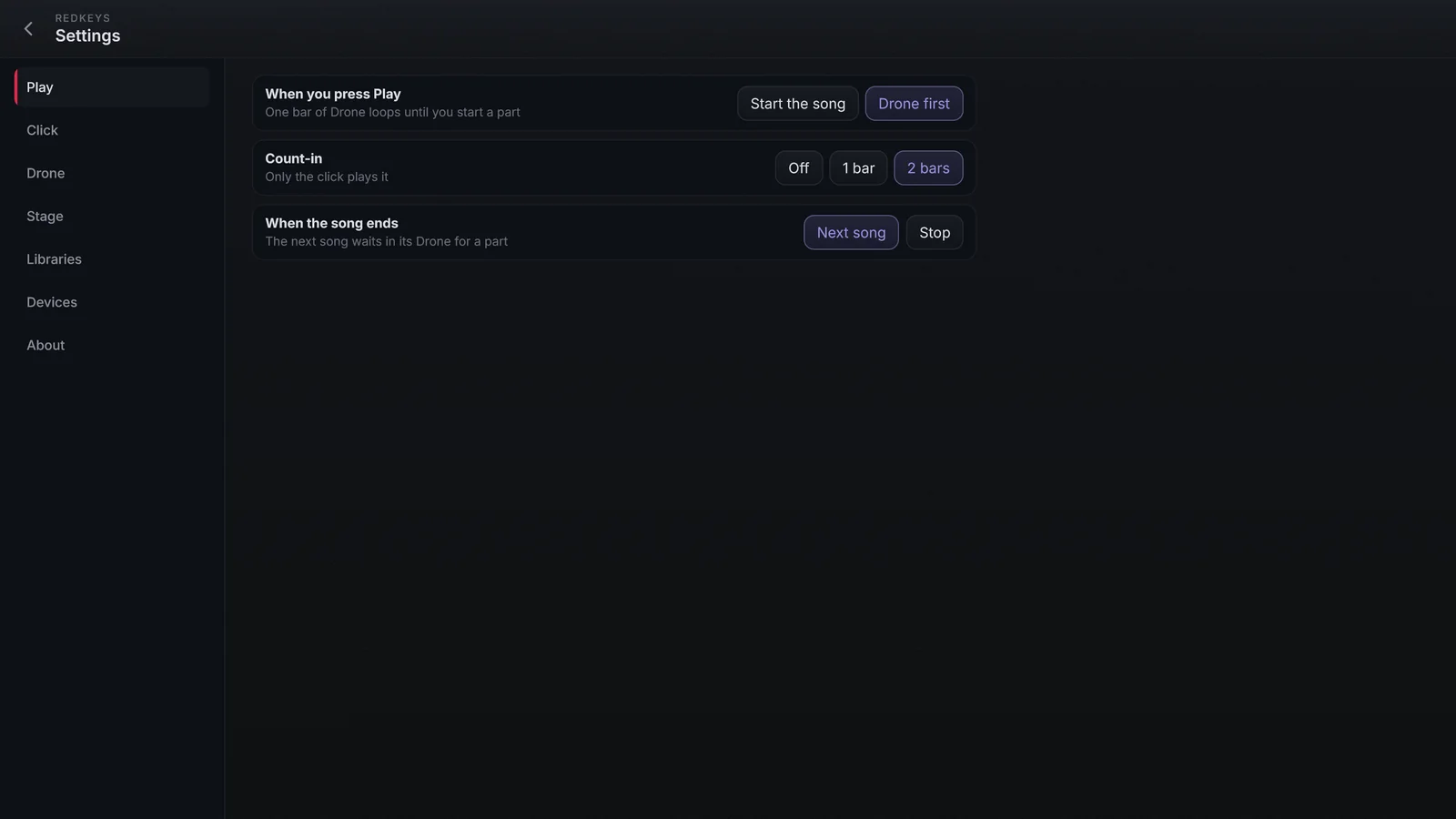
- Libraries: the licence, this device, the libraries and Check for updates.
- Devices: Audio interface and MIDI, each with Open.
- About: the REDKEYS version.
Computer shortcuts
| Key | What it does |
|---|---|
| Space | Play / Stop |
| ← and → | Previous and next part |
| 1 to 8 | Picks the channel |
| M | Switches between the channels and the Master |
| Esc | Closes the window or drawer on top |
| F11 | Full screen |