
Step Seq mode
Draw a step-by-step melody that follows the chord you hold.
In Step Seq mode, each step says which note of the chord plays. You draw a melody, and it follows the chord you hold. To use it, tap the Step Seq tab at the top of the page.
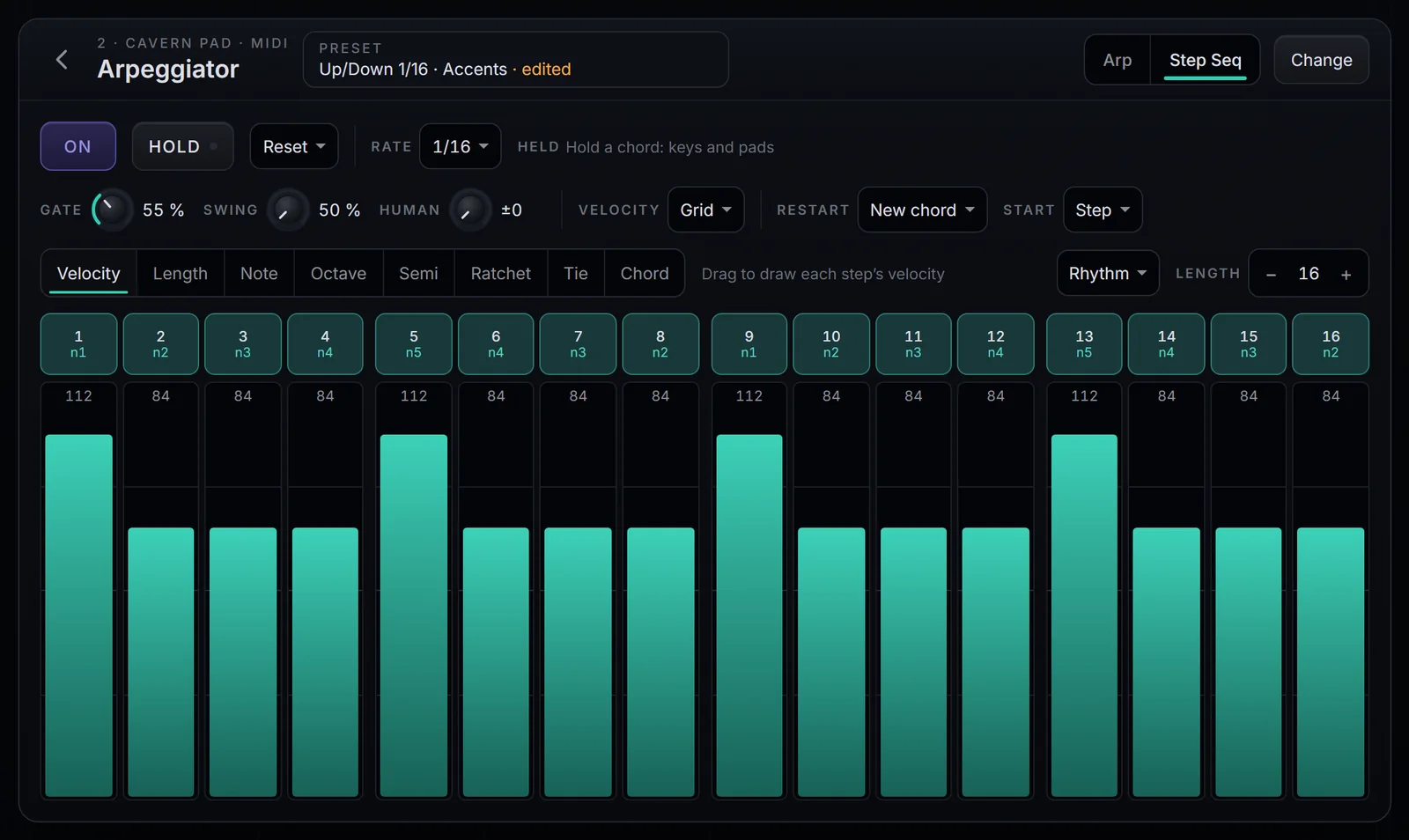
Each step's note
| Lane | Values | What it does |
|---|---|---|
| Note | 1 to 8 | Which note of the chord: 1 is the lowest, 2 the second, and so on |
| Octave | −2 to +2 | The step's octave |
| Semi | −12 to +12 | Semitones added to the step's note |
A step past the chord wraps to the first note, an octave up. With a three-note chord (C, E, G), Note 4 is the upper C and 5 is the upper E.
The other lanes
Velocity, Length, Ratchet, Tie and Chord are the same as in Arp mode, with two details:
- Tie: the same note carries on with no new attack; a different note comes in smoothly (legato).
- Chord: the step plays the whole chord, with the step's Octave and Semi.
What differs from Arp
- There is no Order or Range: the note comes from the grid.
- Rate, Gate, Swing, Human, Velocity, Restart, Start and Hold work the same.
- With a chord held, each step's button shows the note it will play.
- With Velocity set to Played, the strength is that of the chord note the step plays.