
Chorus
Use Chorus and Ensemble, or one of the three modes with a hardware face: RKS-20, RC-106 and RW-01.
The Chorus thickens and widens the sound: electric pianos, pads, strings. In the top bar you choose the mode: Chorus, RKS-20, RC-106 or RW-01. Each mode has its own face and its own presets.
Chorus and Ensemble
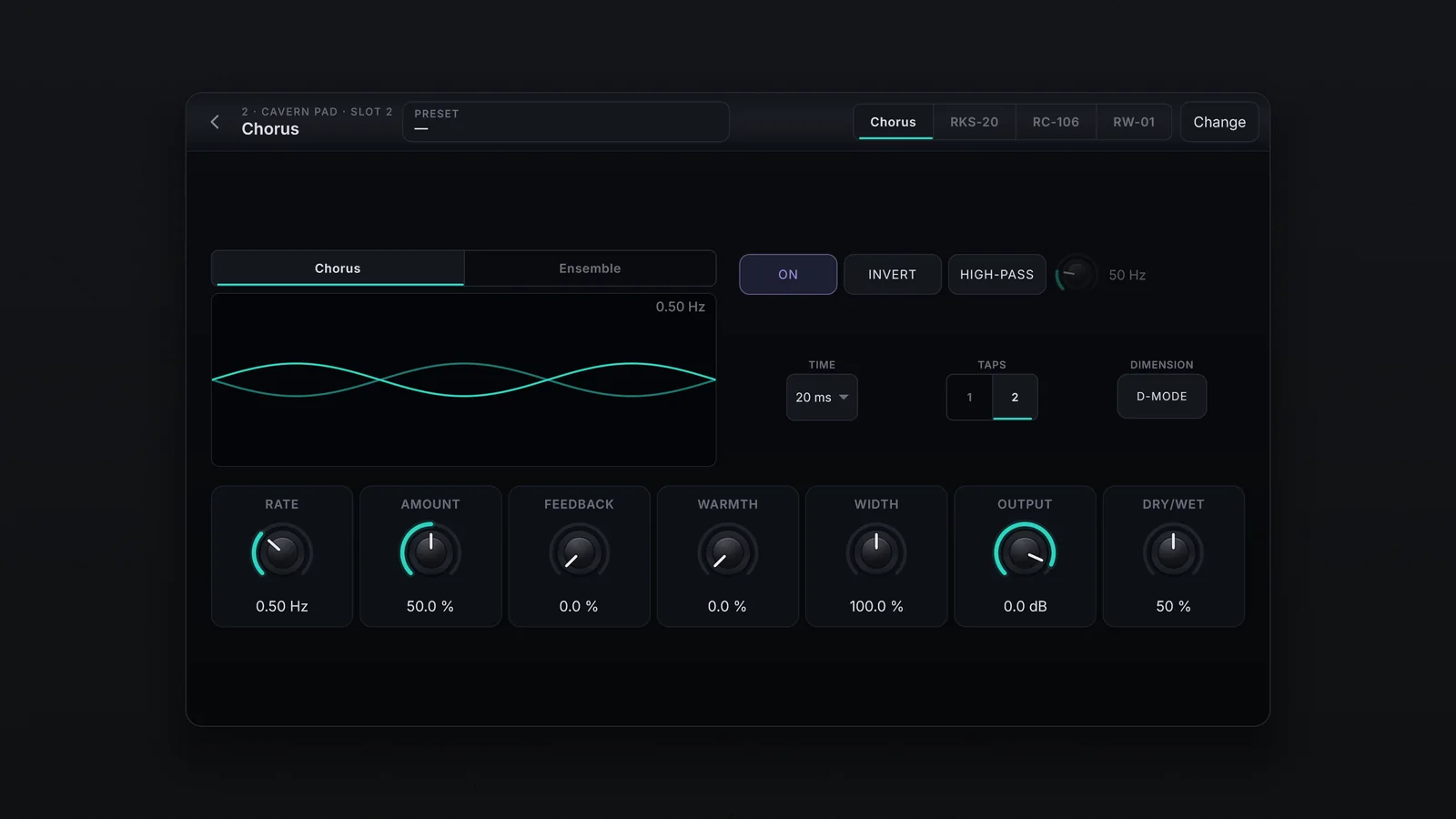
The Chorus | Ensemble selector sits over the display, which shows the delay lines as waves. Dragging up or down on the display changes the Rate.
| Control | What it does |
|---|---|
| ON | On and off |
| INVERT | Flips the Feedback polarity |
| HIGH-PASS | Less modulation below the frequency of the knob beside it (20 to 2000 Hz) |
| TIME (Chorus) | The delay: Auto, 7, 10, 20, 35 or 50 ms |
| TAPS (Chorus) | 1 or 2 lines |
| D-MODE (Chorus) | Spreads the chorus voices in space |
| Voices and Phase (Ensemble) | How many voices (2 to 8) and the offset between them |
| LFO 2 and Random (Ensemble) | A second LFO and a random modulation, each with Rate and Int.; dimmed while off |
| Rate | The speed, from 0.1 to 15 Hz |
| Amount | The depth |
| Feedback | Sends the output back to the input |
| Warmth | Distortion and filtering |
| Width | The width of the chorus, from 0 to 200 % |
| Output | The level of the processed signal, up to +6 dB |
| Dry/Wet | The slot's mix |
RKS-20
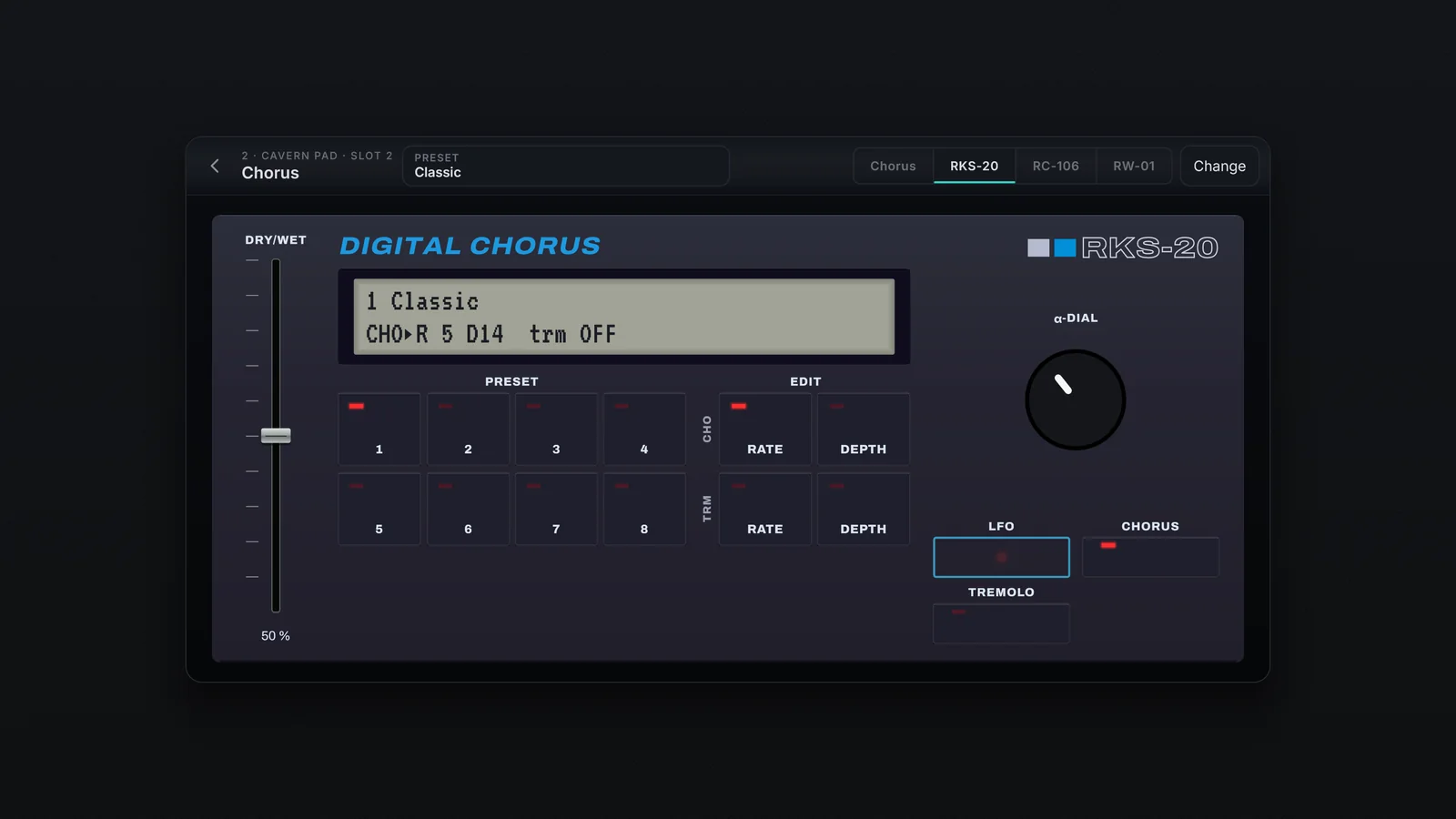
A digital chorus with stereo tremolo, for electric pianos and also harpsichords and clavis.
- PRESET 1 to 8: the 8 factory presets.
- EDIT: chooses what the α-DIAL changes: chorus RATE or DEPTH, tremolo RATE or DEPTH, from 0 to 14.
- Chorus and Tremolo: turn each effect on and off.
- DRY/WET: the mix fader.
- The LCD shows the preset and the chorus (CHO) and tremolo (TRM) values; tap it to open the list. The LFO LED blinks in the chorus's rhythm.
RC-106
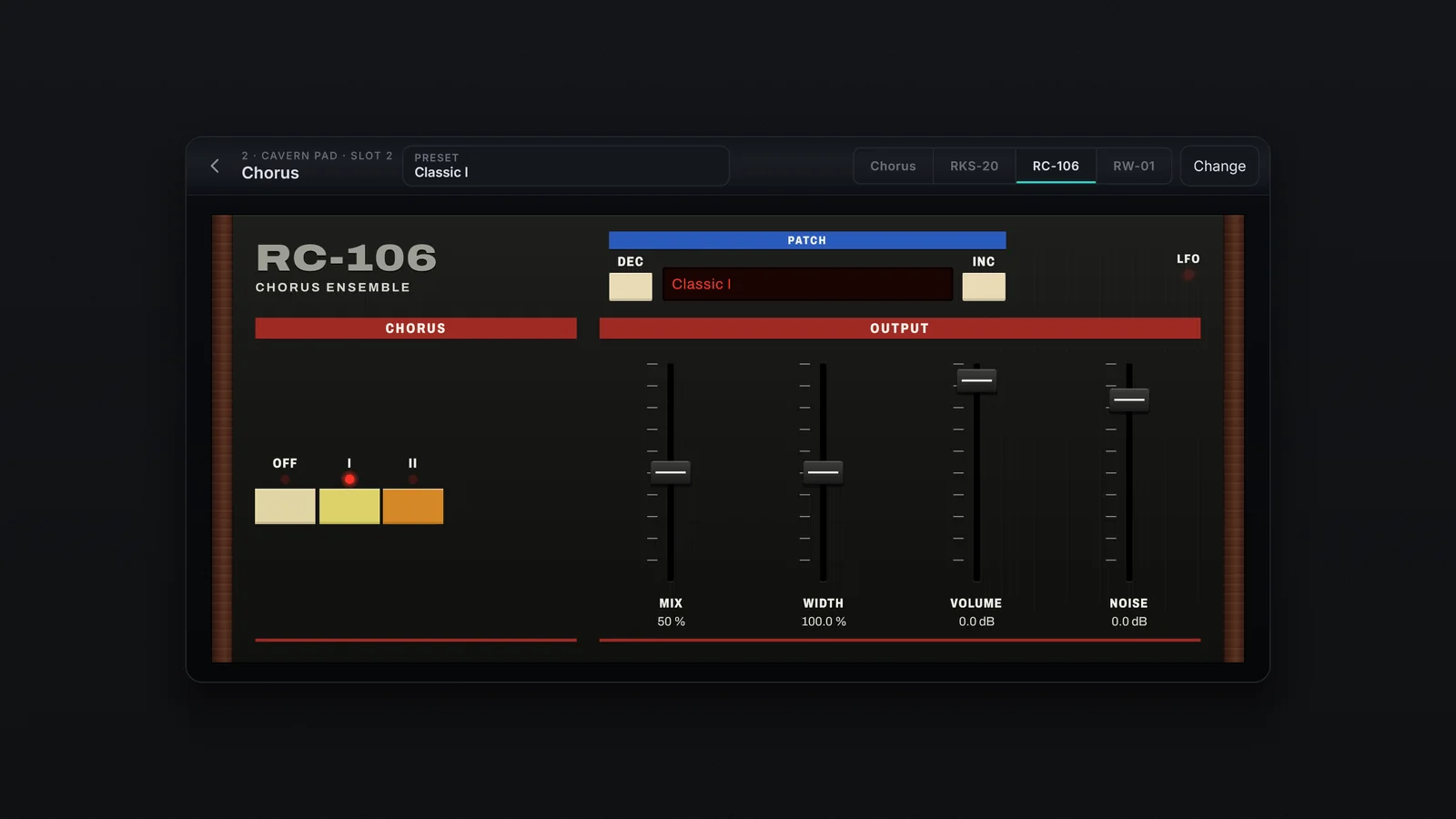
An analogue synth chorus, with the background hiss that gives it character.
- OFF, I, II: I is slow, II a little faster; I and II lit together give I+II, fast and shallow. OFF switches it off.
- MIX: the Dry/Wet. WIDTH: the width. VOLUME: the effect's level.
- NOISE: the hiss level; 0 dB is the usual hiss, at the bottom it disappears, and it goes up to +12 dB.
- PATCH: DEC and INC step through the presets; tap the name to open the list. The LFO LED blinks in the mode's rhythm.
RW-01
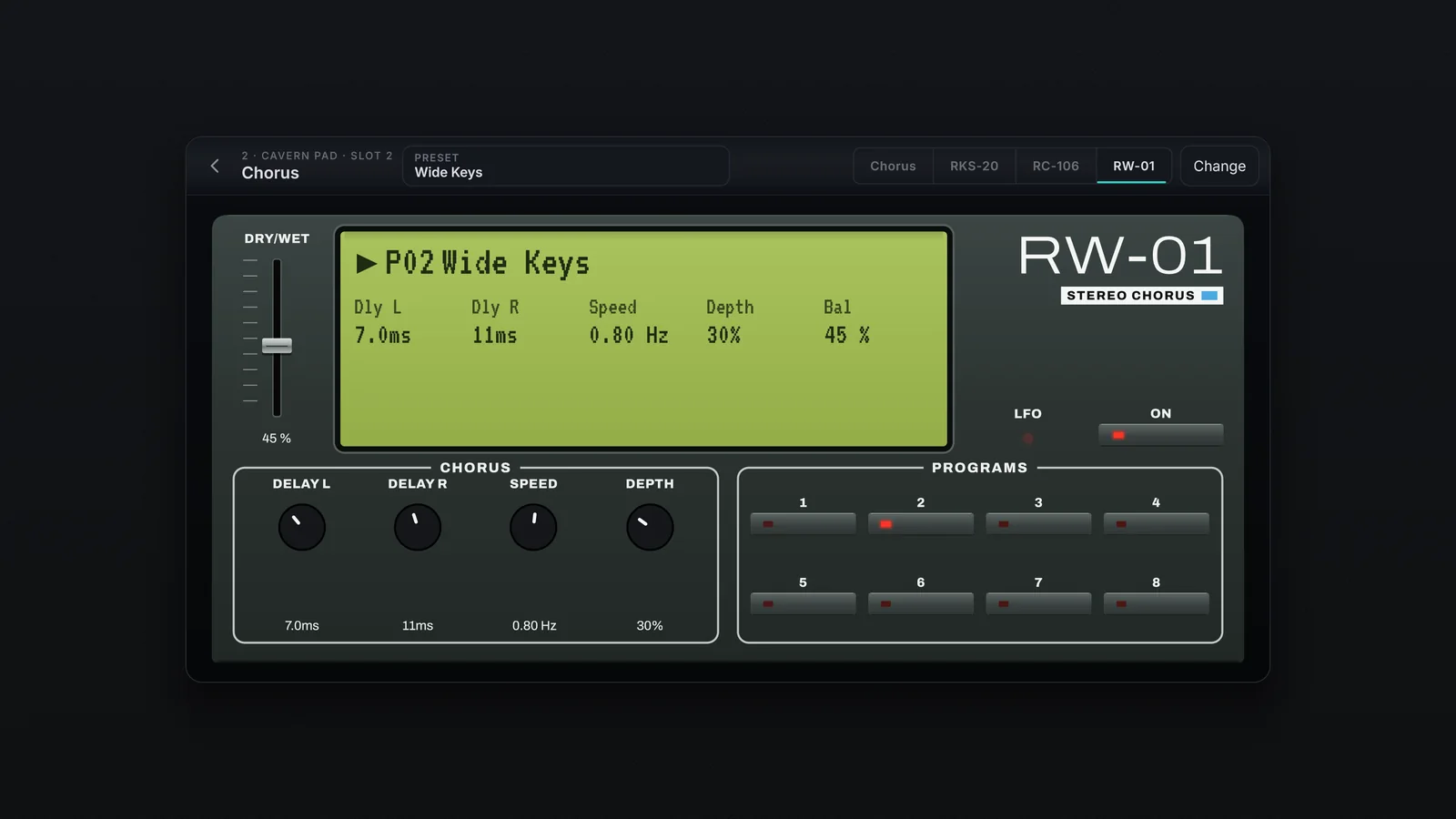
A clean stereo digital chorus, with each side's delay at hand.
- DELAY L and DELAY R: the delay on each side, from 1 to 250 ms.
- SPEED: the speed, from 0.05 to 10 Hz. DEPTH: the depth.
- DRY/WET: the fader, WET at the top and DRY at the bottom.
- PROGRAMS 1 to 8: the 8 factory presets. ON: on and off.
- Tap the display to open the list. With one of your presets loaded, the display shows U1, U2… and no key lights.