
EQ
Fit the sound into the mix with up to 8 bands drawn on the graph, dynamic bands and the analyser.
The EQ starts flat. You create each band where you need it, right on the graph, up to 8. It always processes the whole sound (it has no Dry/Wet) and adds no delay.
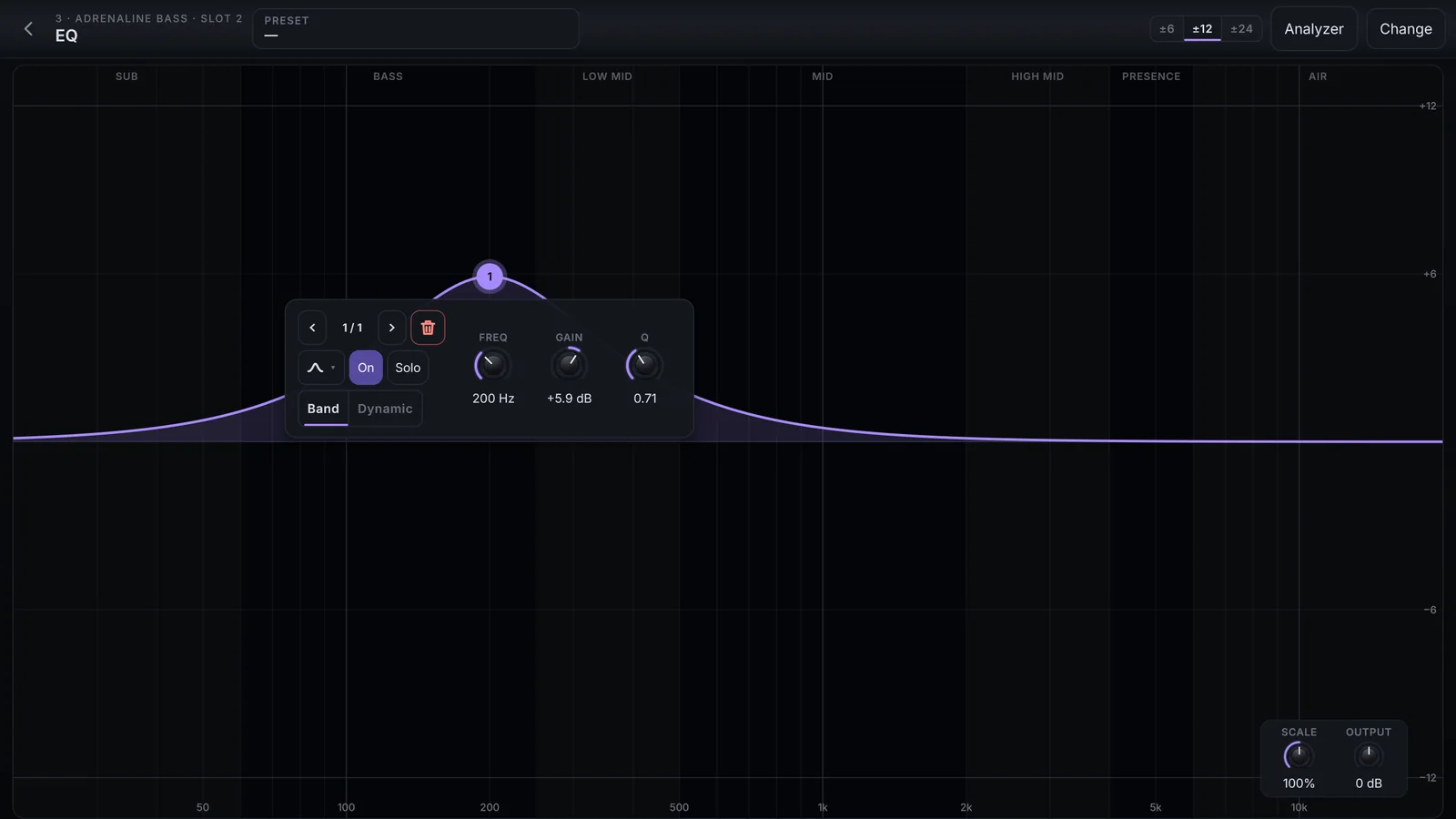
On the graph
- Double-tap an empty spot to create a band there: near 20 Hz you get a Low Cut, near 20 kHz a High Cut, in between a Bell with the gain of the tap's height.
- Drag the point to change frequency (sideways) and gain (up and down). Shift makes it fine. The mouse wheel changes the Q.
- Drag on an empty spot to draw a box that selects several bands; dragging one moves them all. Shift or Ctrl + tap on a point adds it to or removes it from the group.
- Tap an empty spot to clear the selection.
A point is a numbered circle in the channel's colour: filled when selected, dashed when off, with an amber dot when dynamic. Along the top, the regions Sub, Bass, Low mid, Mid, High mid, Presence and Air.
Band controls
They float next to the selected point.
| Control | What it does |
|---|---|
| ‹ n / N › | Steps through the bands; the bin deletes the band |
| Shape | Bell, Low Shelf, High Shelf, Low Cut, High Cut, Notch, Band Pass or Tilt |
| Slope | The steepness: 6 to 96 dB/oct on the cuts, 6 or 12 on the shelves and Tilt |
| On | Turns the band on and off |
| Solo | Hear only the band; the graph darkens outside the range it reaches |
| Freq | From 20 Hz to 20 kHz |
| Gain | ±24 dB, on the shapes with gain |
| Q | The width, from 0.1 to 18 |
Dynamic band
In the Dynamic tab, turn on the dynamic band: it moves from its usual gain to a Target gain as the sound in its own range crosses the threshold. Use it, for example, to tame a piano's brightness only when you play hard.
| Control | Range |
|---|---|
| Target | ±24 dB, also by dragging the amber diamond on the graph |
| Thresh. | −60 to 0 dB |
| Knee | 0 to 24 dB |
| Attack | 1 to 500 ms |
| Release | 10 to 2000 ms |
At the top and in the corner
- ±6, ±12, ±24: the graph's range.
- Analyzer: the spectrum of what comes out, behind the curve. Off, it saves drawing.
- Scale: how much of every band's gain applies, from 0 to 200 %: the whole EQ subtler or stronger in one move.
- Output: the output level, ±24 dB.